Slides, PDFs and carousels that look designed
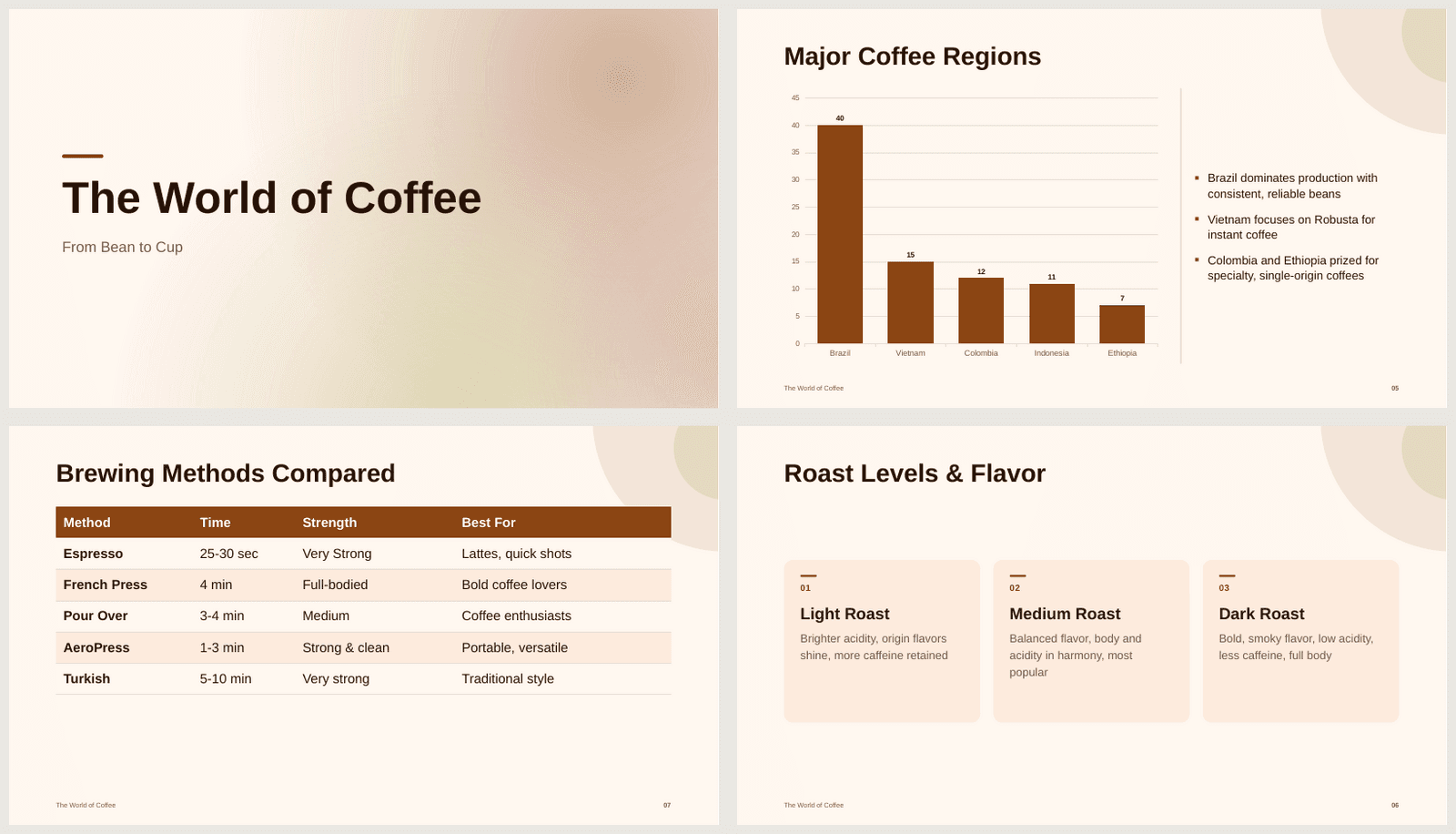
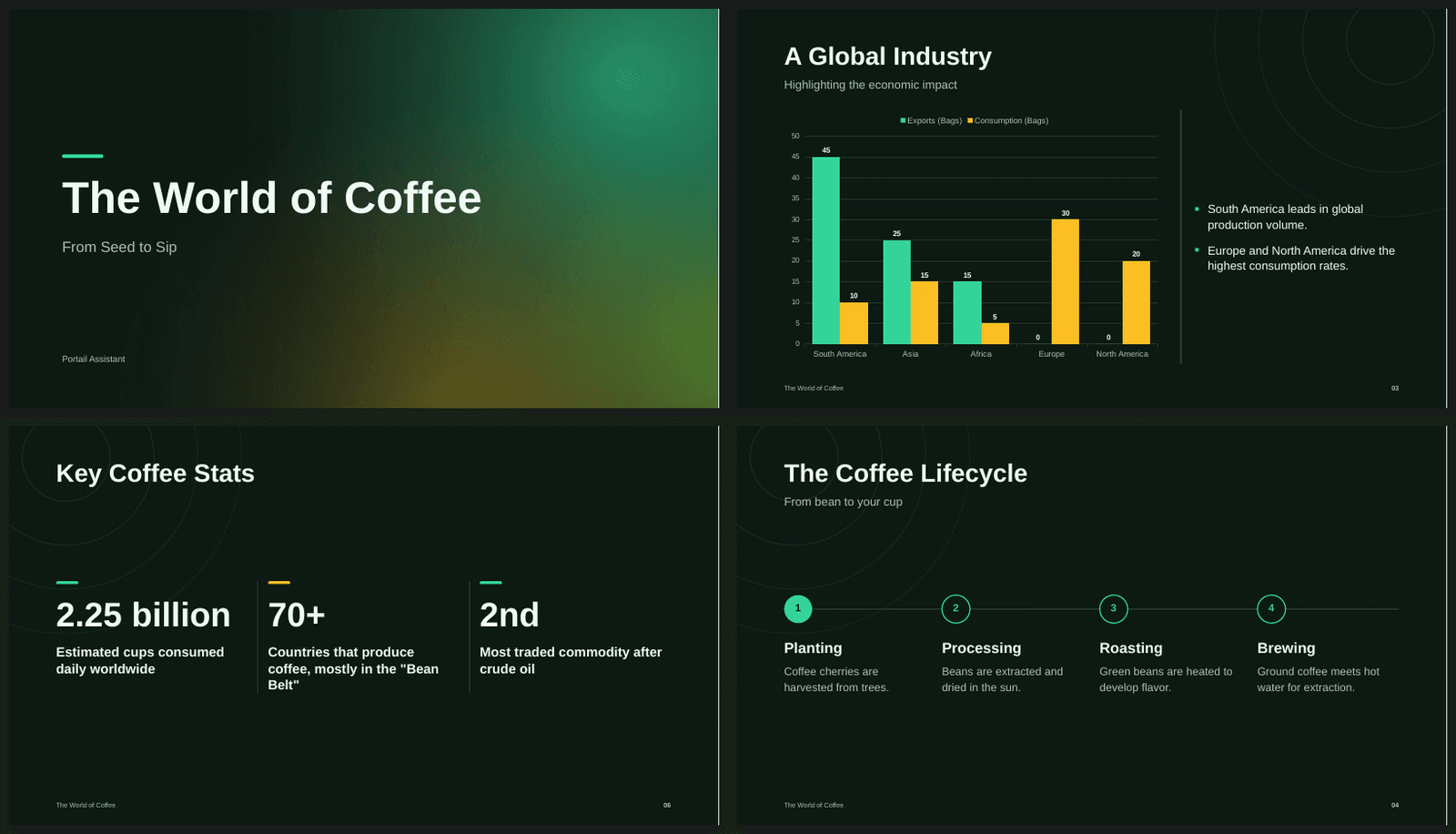
Ask any model in Portail for a presentation, a PDF report, a resume or a Word document, and the file now comes back properly designed instead of as plain text on a white page. Portail picks a theme, lays out every slide or page, sizes the text so nothing spills over, and turns your numbers into real charts, big-number cards and clean tables. This works the same with every model, including the free and budget ones, because the design is done by Portail, not by the model: the model writes the content, Portail makes it look good. A one-line request like "make a presentation about coffee" gets a cover, varied layouts and a closing slide. You can still steer everything: name a theme, give it your brand color, ask for a gradient background or shapes on a slide. When you want changes, just say so in the chat and you get an updated file with the design intact. There's a new format too: Instagram and LinkedIn carousels, as swipeable 4:5 pages. And on phones, a row of shortcuts above the chat box gets you to slides, reports, websites, images, carousels, voice, scheduled tasks and connectors in one tap.
1122 words
Ten themes for decks and documents: Midnight, Aurora, Graphite, Forest, Paper, Ocean, Corporate, Sunset, Editorial and Mono. If you don't pick one, Portail chooses one that fits the topic.
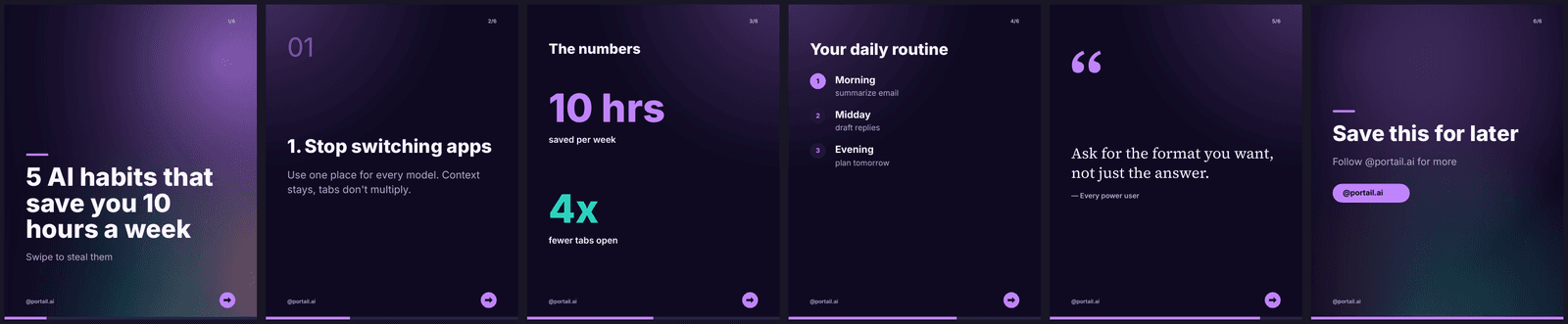
Carousels for Instagram and LinkedIn: 4:5 pages with a hook cover, one idea per page, big numbers, a page counter, a swipe cue and a call-to-action page, signed with your handle. They come as a PDF (the format LinkedIn takes) or as a PowerPoint file.
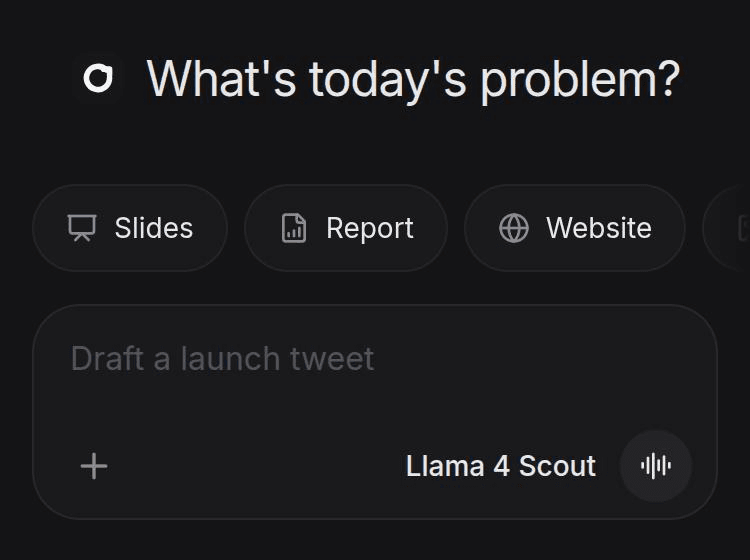
On your phone, an empty chat now shows one-tap shortcuts above the chat box: Slides, Report, Website, Image, Carousel, Voice, Schedule task and Connectors. Tapping Image switches to the cheapest image model your plan allows.
Slides get real layouts chosen from the content: covers, section breaks, cards, big-number stats, step-by-step processes, timelines, agendas, quotes, comparisons, tables and closing slides.
Charts in PowerPoint files are native PowerPoint charts and tables are real tables, so you can edit them after you download.
Text is measured with real font metrics and sized to fit its box. When a model writes far too much, the extra bullets, paragraphs, tables or charts move onto follow-up slides instead of shrinking into a wall of tiny text.
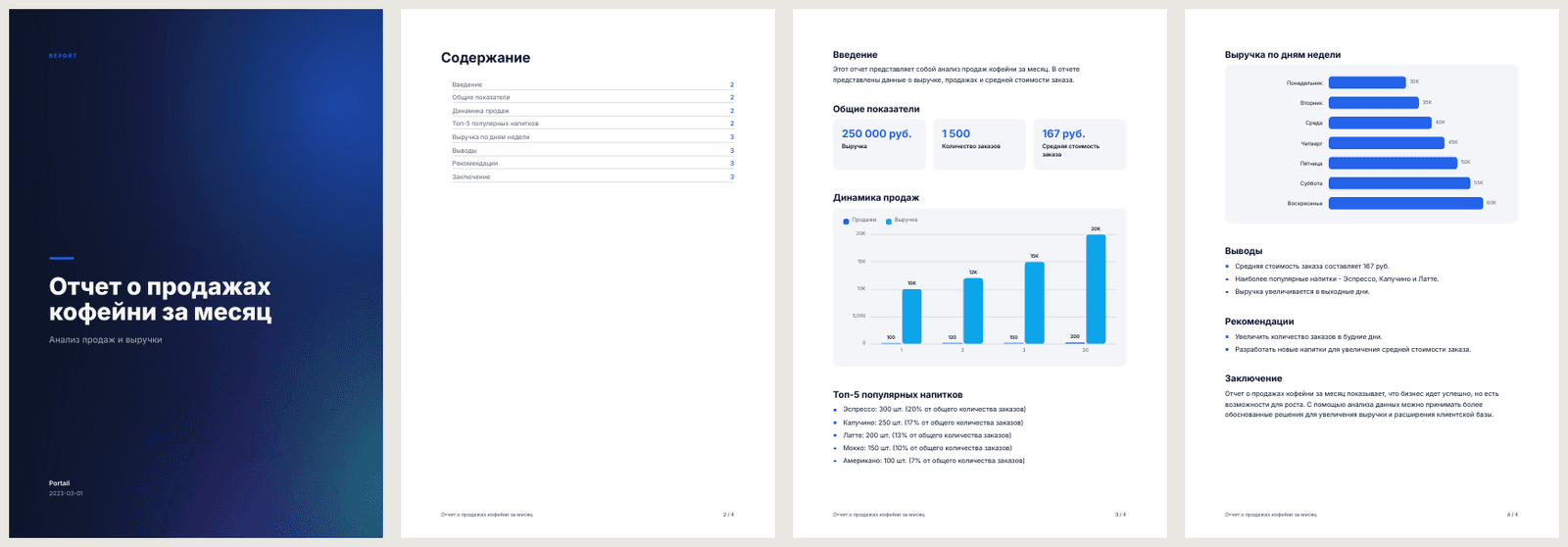
PDFs are now designed documents: a cover page for long reports, an optional table of contents, callout boxes, stat cards, charts, styled tables, page numbers and footers.
Document types for everyday needs: reports, resumes, letters, certificates and one-pagers each get their own layout.
Word files get proper heading styles (so the navigation pane and a Word table of contents work), themed tables, callouts, stat cards, charts and page numbers.
Your own colors and shapes: set a brand color, a solid or gradient background per slide, and add circles, stars, arrows, hexagons and other shapes with labels.
Russian text renders properly in every PDF, with fonts that include Cyrillic.
Asking for edits keeps the design: Portail remembers exactly how each deck or document was built, so "make slide 3 darker" or "add a pricing section" updates the real file.
Spreadsheets got a cleaner default look too: a styled header row that stays in place while you scroll, filters, light banding and thousands separators.
Slides can also be exported as a PDF deck, and a model that answers with HTML for a PDF still gets a clean, themed document.
Portail v2.8.0 shipped on 2026-10-24 as a minor release focused on slides, pdfs and carousels that look designed. Ask any model in Portail for a presentation, a PDF report, a resume or a Word document, and the file now comes back properly designed instead of as plain text on a white page. Portail picks a theme, lays out every slide or page, sizes the text so nothing spills over, and turns your numbers into real charts, big-number cards and clean tables. This works the same with every model, including the free and budget ones, because the design is done by Portail, not by the model: the model writes the content, Portail makes it look good. A one-line request like "make a presentation about coffee" gets a cover, varied layouts and a closing slide. You can still steer everything: name a theme, give it your brand color, ask for a gradient background or shapes on a slide. When you want changes, just say so in the chat and you get an updated file with the design intact. There's a new format too: Instagram and LinkedIn carousels, as swipeable 4:5 pages. And on phones, a row of shortcuts above the chat box gets you to slides, reports, websites, images, carousels, voice, scheduled tasks and connectors in one tap. The work is recorded here because small releases are still product history. They change how people sign in, read responses, pay for access, share conversations, open files, or trust the system when something goes wrong.
This was more than a quiet maintenance pass. A minor release changes how a visible part of Portail behaves, how a larger workflow is framed, or how a user understands the product. The important part is not only that the feature exists. The important part is that it joins the rest of the system without making the chat harder to use. Portail is useful because context travels with the user. Every larger release has to protect that feeling.
The main changes were direct: ten themes for decks and documents: midnight, aurora, graphite, forest, paper, ocean, corporate, sunset, editorial and mono. if you don't pick one, portail chooses one that fits the topic, carousels for instagram and linkedin: 4:5 pages with a hook cover, one idea per page, big numbers, a page counter, a swipe cue and a call-to-action page, signed with your handle. they come as a pdf (the format linkedin takes) or as a powerpoint file, on your phone, an empty chat now shows one-tap shortcuts above the chat box: slides, report, website, image, carousel, voice, schedule task and connectors. tapping image switches to the cheapest image model your plan allows, slides get real layouts chosen from the content: covers, section breaks, cards, big-number stats, step-by-step processes, timelines, agendas, quotes, comparisons, tables and closing slides, charts in powerpoint files are native powerpoint charts and tables are real tables, so you can edit them after you download, text is measured with real font metrics and sized to fit its box. when a model writes far too much, the extra bullets, paragraphs, tables or charts move onto follow-up slides instead of shrinking into a wall of tiny text, pdfs are now designed documents: a cover page for long reports, an optional table of contents, callout boxes, stat cards, charts, styled tables, page numbers and footers, document types for everyday needs: reports, resumes, letters, certificates and one-pagers each get their own layout, word files get proper heading styles (so the navigation pane and a word table of contents work), themed tables, callouts, stat cards, charts and page numbers, your own colors and shapes: set a brand color, a solid or gradient background per slide, and add circles, stars, arrows, hexagons and other shapes with labels, russian text renders properly in every pdf, with fonts that include cyrillic, asking for edits keeps the design: portail remembers exactly how each deck or document was built, so "make slide 3 darker" or "add a pricing section" updates the real file, spreadsheets got a cleaner default look too: a styled header row that stays in place while you scroll, filters, light banding and thousands separators, and slides can also be exported as a pdf deck, and a model that answers with html for a pdf still gets a clean, themed document. That list is intentionally plain. It names what changed without turning the release into theatre. When a release fixes a build, a redirect, a storage path, or a UI edge case, the value is often that users stop noticing the problem. The archive keeps that invisible work visible enough for future debugging and for anyone checking whether Portail has cared about the details over time.
For this release, the archive points back to the verified commit trail instead of relying on memory. The title, date, and highlights come from the repository history around v2.8.0. That matters because a release log should be boringly checkable. If someone wants to know why a feature appeared, why a page changed, or why a billing rule behaves differently, the public record and the engineering record should not disagree.
This version also fits into the wider Portail contract. One account, one chat history, and one model picker only work if the smaller pieces keep their promises. Authentication has to fail clearly. Billing has to count honestly. Uploads have to arrive in a form models can read. Admin tools have to show the operator what happened instead of hiding it behind a blank screen. v2.8.0 moved that contract forward in its own narrow lane.
The product lesson is also worth naming. Portail grew quickly through chat, admin, billing, Canvas, Omniverse, Agents, and the coding hand-off bridge. Features landed close together, and some releases bundled polish with deeper infrastructure. This post separates the user-facing promise from the implementation noise. It says what the release changed, why that mattered, and where it sits in the product timeline.
The screenshots attached to this entry show the public release record as it now appears on portail.cc. For older releases, this archive was rebuilt from the git history, package version changes, release modal text, and commit subjects. That means the page is honest about its source: it documents the shipped change and preserves the record going forward, even when the exact old production screen cannot be recreated from a single saved image.
The practical result is simple. Someone landing on this page can see the version number, date, release tier, headline, highlights, and a real rendered screenshot of the archive page. Search engines can index the post through the canonical URL, sitemap entry, and structured data. Future releases now have a standard to meet before deploy, so the history should get cleaner from here instead of fuzzier.
Screenshots